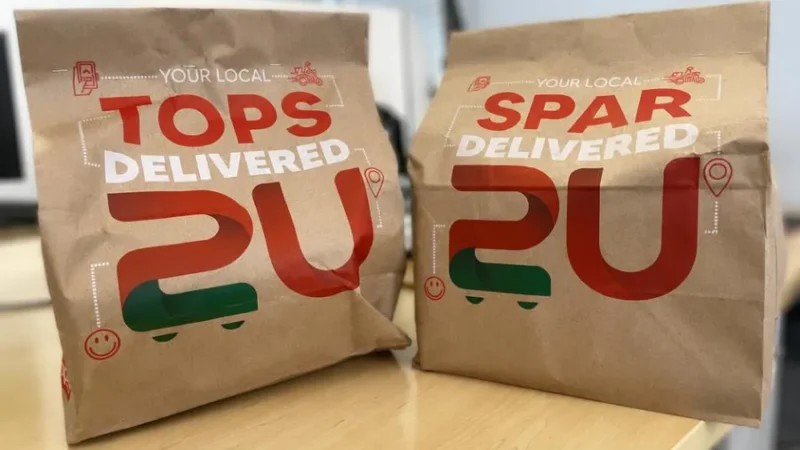
In South Africa’s fast-growing e-commerce and retail landscape, having a massive product catalogue is both a strength and a challenge. Whether you’re a national retailer like SPAR, a building supplier like Cashbuild, or a fast-scaling online store competing with Takealot and Amazon, your catalogue can quickly become a technical SEO minefield.
At IMS, we specialise in helping South African retail and e-commerce brands turn large, complex product catalogues into search-friendly, revenue-driving assets. In this deep dive, we unpack the key technical SEO strategies that ensure your products get discovered by search engines and your customers.
1. Mastering Crawl Budget Optimisation
When you have hundreds (or even thousands) of product pages, Google doesn’t crawl them all equally. Crawl budget refers to how many pages search engines will crawl and index from your site within a given time.
IMS Tips:
-
Prioritise high-value pages: Use internal linking and sitemaps to highlight profitable or trending products.
-
Reduce crawl waste: Block irrelevant URLs like faceted filters (?color=blue) and session parameters using robots.txt or canonical tags.
-
Monitor crawl stats: Use Google Search Console to see which sections Google prioritises and adjust your internal linking accordingly.
2. Use Canonical Tags to Control Duplicates
Large catalogues often generate duplicate content — the same product appearing under multiple categories (e.g. “Shoes > Women” and “Sale > Footwear”).
Duplicate pages dilute ranking signals and confuse crawlers.
IMS Tips:
-
Add rel=”canonical” tags to your preferred product URL.
-
Use a canonical URL structure that aligns with your main category or clean URL (e.g. /products/nike-air-force-1).
-
Ensure your sitemap only includes canonical URLs.
3. Smart Handling of Pagination
If your category pages span dozens of pages (/category?page=1, /category?page=2), you need to help Google understand how they’re connected.
IMS Tips:
-
Use rel=”next” and rel=”prev” where appropriate (or ensure modern alternatives like infinite scroll are SEO-friendly).
-
Keep page 1 indexable, and ensure subsequent pages are crawlable but not orphaned.
-
Include unique meta titles for paginated sets (e.g. “Men’s Shoes – Page 2”).
4. Structured Data: Help Search Engines Understand Your Products
Schema markup is a powerful tool for product-rich sites. It helps Google display product information like price, availability, and ratings directly in search results improving click-through-rates.
IMS Tips:
-
Implement Product Schema on all product detail pages.
-
Include price, brand, sku, image, description, and aggregateRating where applicable.
-
Validate using Google’s Rich Results Test.
5. Optimising Faceted Navigation
Faceted navigation (filters like brand, colour, size) is essential for users — but can generate millions of URL combinations.
IMS Tips:
-
Allow search-friendly facets (e.g. brand and category) to be crawlable.
-
Block or canonicalise less valuable combinations (e.g. ?size=7&color=green).
-
Use noindex on non-valuable filter pages.
This balance keeps the user experience rich while keeping the index clean.
6. Internal Linking: Guide Search Bots and Shoppers
A clear internal linking structure distributes link equity and helps search engines understand hierarchy.
IMS Tips:
-
Link from category pages to top-selling products.
-
Use breadcrumbs (e.g. Home > Shoes > Men’s > Nike Air Force 1).
-
Include related products widgets with contextual anchors.
This improves both crawlability and conversion.
7. XML Sitemaps and Index Management
Your XML sitemap is the roadmap for search engines.
IMS Tip:
-
Submit separate sitemaps for products, categories, and content (e.g. /sitemap-products.xml).
-
Keep sitemaps clean: only include indexable, canonical URLs.
-
Monitor index coverage in Google Search Console regularly.
8. Site Speed and Core Web Vitals
Retail shoppers expect fast sites. Google uses page experience and Core Web Vitals as ranking signals.
IMS Tip:
-
Optimise images with next-gen formats (WebP) and CDNs.
-
Implement lazy loading for product grids.
-
Use server-side caching and minified scripts.
-
Test using PageSpeed Insights and Lighthouse.
9. Handling Out-of-Stock and Discontinued Products
What happens when an item goes out of stock?
IMS Tip:
-
Keep the page live if the product may return — mark as out of stock and suggest alternatives.
-
If discontinued, 301 redirect to the next best product or parent category.
-
Avoid deleting URLs that already rank or have backlinks.
10. Local SEO for Retailers with Stores
If your catalogue ties into physical locations, integrate Local SEO to capture nearby searches.
IMS Tip:
-
Add store schema and Google Business Profiles and Google Merchant Profiles.
-
Create store landing pages with embedded product availability.
-
Optimise for “near me” searches using regional keywords (e.g. “power tools Fourways”).
11. Monitoring and Continuous Optimisation
SEO for large catalogues is never “done.”
Use tools like:
-
Google Search Console – indexation, crawl issues.
-
Screaming Frog / Sitebulb – technical audits.
-
Ahrefs / SEMrush – backlink and keyword tracking.
-
Looker Studio Dashboards – for custom reporting (IMS can build these).
At IMS, we combine technical SEO expertise, local retail knowledge, and AI-powered analytics to ensure every product in your catalogue contributes to organic growth. We help South African retailers:
-
Audit and restructure catalogues.
-
Improve crawl efficiency and indexation.
-
Boost product visibility and conversions.
-
Future-proof SEO for AI search engines (ChatGPT, Gemini, Perplexity).
Ready to Make Your Catalogue Search-Friendly? Let IMS help you turn your product pages into profit pages. Get in touch to book a technical SEO audit of your e-commerce site today.